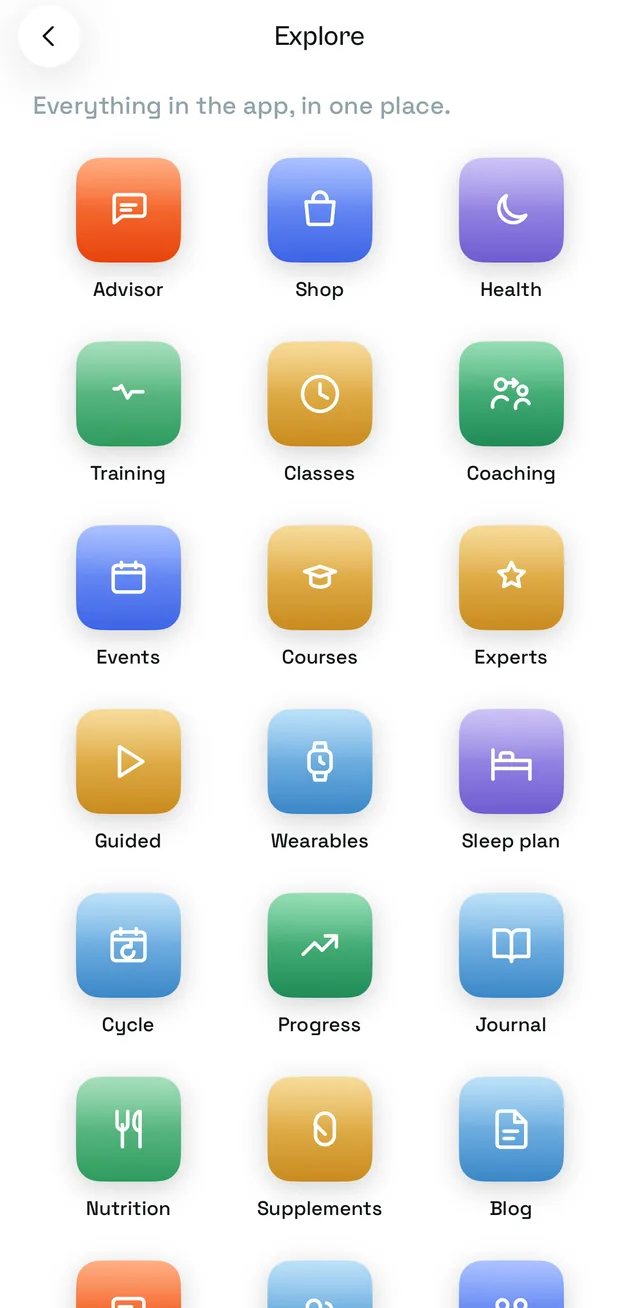
Free UK delivery over £50, and 30 days to change your mind.Learn more
The ORUS app's Health tab
The ORUS app's Home tab

Download our FREE app

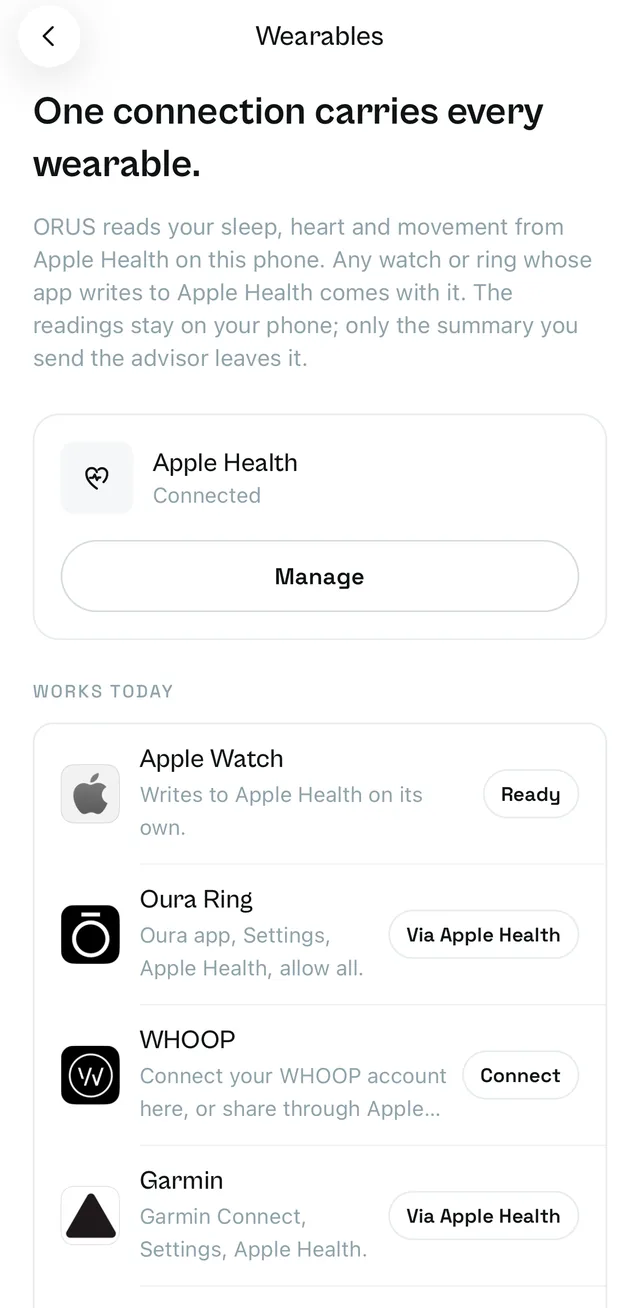
Your health is data, habits and people. The app connects all three, and works with what you already wear: Apple Watch, Oura, WHOOP, Garmin, Polar and more, through Apple Health.

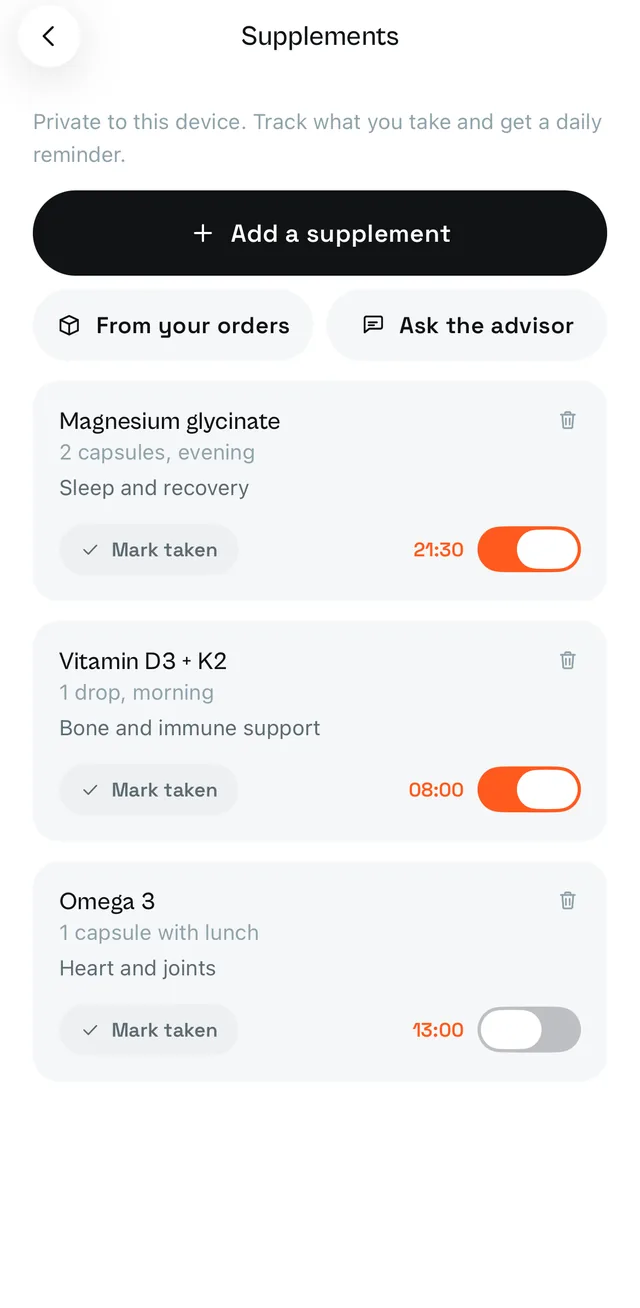
Apple Health syncReadiness scoreSleep, HRV and resting heart rateWrist temperatureHistory calendarAI advisor on your own numbersAdvisor voice modeAdvisor memoryHabitsJournal with voice and photosWind-down and guided sessionsSoreness registerBody goals and measurementsLive ActivitiesHome and Lock Screen widgetsWorkout player with RIR and supersetsWorkout builderPersonal bests and progress chartsExercise library with demosClass discovery and instant bookingQR class check-inFind a verified coachCoach-built programmesCheck-ins with private photosForm-check videosGranular health sharingEvery coach action loggedCoach meal plansFood logMacro trackingTargets for training and rest daysSupplement tracking and remindersFeed and spacesPosts and pollsDirect messagesReal-life clubsEvents and ticketsChallengesCourses and certificatesExpert directoryThe full catalogueBasket shared with the webIn-app checkoutOrder trackingAdvisor product picks

One email when it launches. Nothing else, and no marketing.

Coming soon on theApp StoreComing soon onGoogle Play
What is inside

Five tabs, one routine

Every screen below is the app as it runs today, not a mock-up.

The Health tab: an overview in six places, Apple Health, habits
Health

Your body, in six places

Body, sleep, heart, mind and food each hold the detail for one part of your health, and the overview is the summary. Nothing is buried three taps down.

  • Apple Health sync
  • Readiness score
  • Sleep, HRV and resting heart rate
  • Wrist temperature
  • Habits
  • History calendar
The Advisor tab: a question box and suggested asks
Advisor

An advisor on your own numbers

Ask about sleep, training, recovery or what to buy. It reasons over your trends, not generic advice, and it remembers what you told it last time.

  • Reads your own trends
  • Voice mode
  • Memory
  • Product picks with a reason
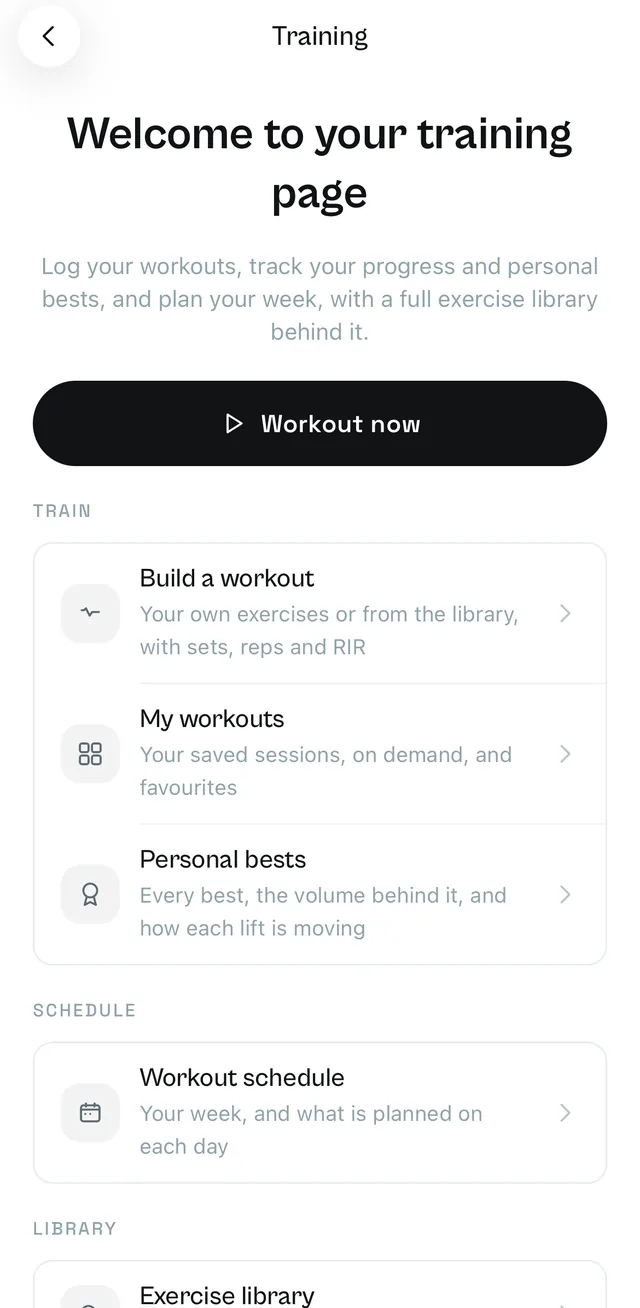
The Training page: build a workout, personal bests, schedule, library
Training

Build it, log it, see it move

A workout player with RIR and supersets, a builder for your own sessions, and personal bests with the chart behind each one.

  • Workout player
  • Workout builder
  • Personal bests and charts
  • Exercise library with demos
The Classes screen: a calendar of sessions near you with instant booking
Classes

A place at a class, booked in one tap

Classes near you by day, category and time, in person or online. Book a place, and scan in at the door with the QR on your ticket.
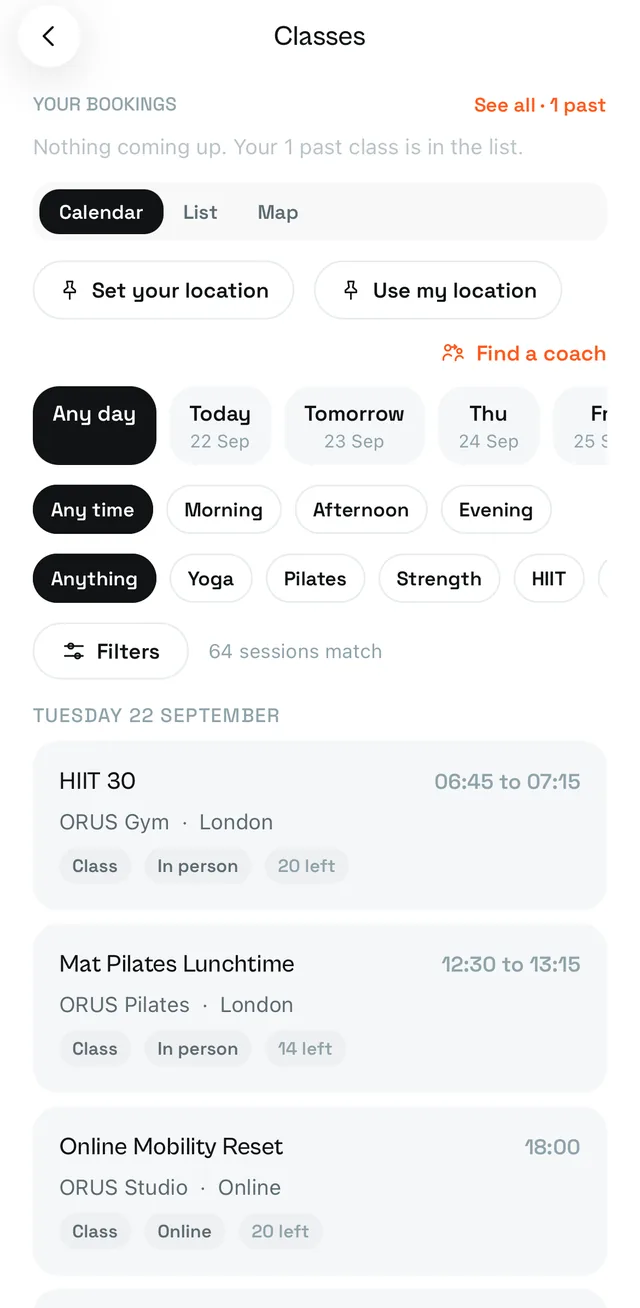
  • Class discovery
  • Instant booking
  • QR check-in
  • Your location, your country
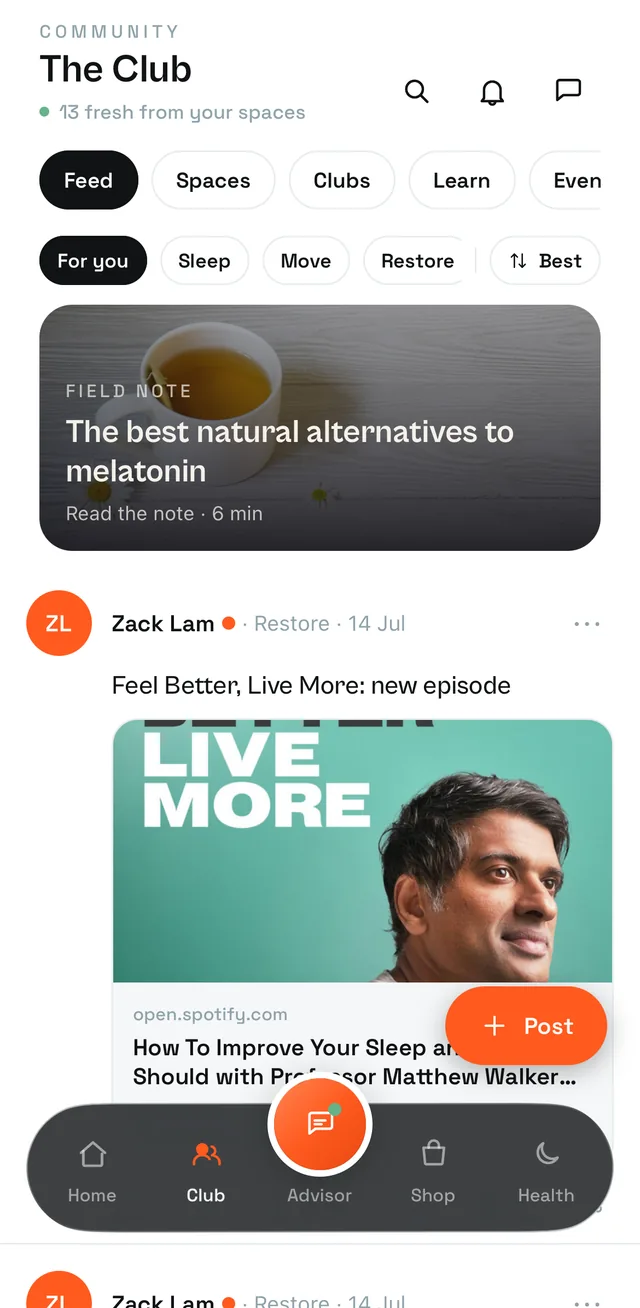
The Club tab: the feed, spaces, clubs, courses and events
Club

The Club in your pocket

The feed and its rooms, your clubs, courses with certificates, events and tickets, and direct messages with the people in them.

  • Feed and spaces
  • Direct messages
  • Real-life clubs
  • Events and tickets
  • Courses and certificates
  • Expert directory
The Shop tab: the Sleep, Move and Restore shelves and best sellers
Shop

The same shop, sorted by your routine

The full catalogue with the Sleep, Move and Restore shelves, a basket shared with the web, checkout in the app and order tracking after.

  • The full catalogue
  • Basket shared with the web
  • In-app checkout
  • Order tracking
Works with what you wear

Built on Apple Health, so it works with most of what you wear

The app does not ask you to type in a number your phone already holds. It reads the streams you allow through Apple Health, and nothing else, which is how an Apple Watch, an Oura ring or a WHOOP band all reach it.

Apple Health

Sleep stages, HRV, resting heart rate, respiratory rate, steps, workouts and body mass, read from the streams you allow.

Apple Watch

Whatever your watch writes to Health arrives the same way: overnight wrist temperature, HRV and the workouts you record on the wrist.

Oura, WHOOP and Garmin

Each brand's own app writes to Apple Health once you switch it on there, and ORUS reads the result: sleep, HRV, resting heart rate and workouts.

Polar, COROS, Withings, Ultrahuman, Eight Sleep and Amazfit

The same route: turn on Apple Health sharing in the brand's app and the readings arrive in ORUS the next morning.

Coming: Fitbit, Samsung, Pixel Watch and Xiaomi

These have no Apple Health route today. A direct connection to each brand's cloud is coming, and is claimed for none of them yet.

Widgets and Live Activities

Home and Lock Screen widgets, and a Live Activity while a session or a wind-down is running.

Background refresh

Health refreshes in the background, so the advisor and the Health tab are current when you open them, not after.

How it works

Three steps

1Join the waitlist

One email when testing opens up or the app is on the store. Nothing else.

2Install on your iPhone

Through TestFlight while the app is in testing, then the App Store.

3Connect Apple Health

Choose the streams you share. Then ask the advisor a question about your own week.

Your numbers stay yours

Private by the switch, not by the promise

Each Apple Health stream is a switch you turn on. Sharing a stream with a coach is a second switch, per stream, off until you press it. Every coach action on your account is logged where you can read it, and what a coach looked at is recorded too.

The full detail is in the privacy policy.

Be first in line

One email when testing opens up or the app is on the store.

We respect your inbox. Privacy policy

Questions

Before you join

Which phones does it run on?

iPhone. Android is a separate lane and comes later; everything here works in the browser at orus.uk meanwhile.

Is the app free?

Yes. The app is free, and so is every feature in it. The shop sells products at the same prices as orus.uk, and a class or an event costs what the club charges for it.

Why a waitlist and not a download button?

The app is in closed testing on TestFlight. A public link does not exist yet, and a button that goes nowhere would be a lie. The waitlist is how you are first in line when it opens.

What does it do with my health data?

It reads only the Apple Health streams you switch on, and the advisor reasons over them on your account. Sharing any stream with a coach is a separate switch per stream, off by default, and every coach action is logged where you can read it.

Does it replace the website?

No. The web and the app share one account, one basket, one club and one set of bookings. Courses are bought on the web and studied in either.